Class plans and memberships for pottery studios
Class plans that fit your pottery studio
One class a week, a monthly membership or a pack of eight lessons. Set the rules once and keep every student’s allowance, balance and extra classes in view.
- Recurring plans & class packs
- Flexible class allowances


Built alongside those who teach
Real activity from the teachers and studios already running on Ceramik.
- Registered members
- 1,495
- Studios registered
- 152
- Class enrollments
- 3,885
- Journal entries
- 1,205
Your studio’s rules, built into every plan
From the first lesson to the next renewal, keep the details of each student’s plan together.
Recurring memberships
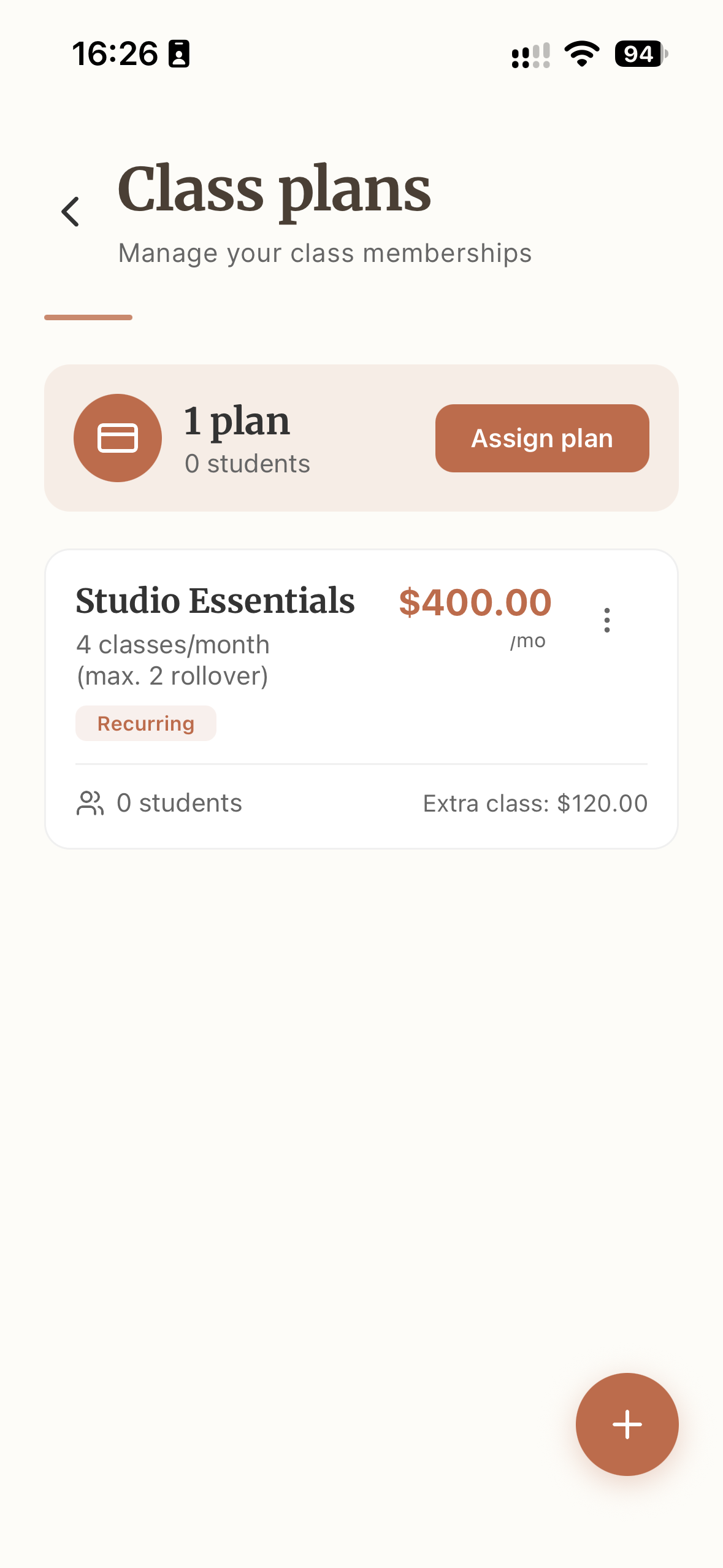
Choose monthly, quarterly, semiannual or annual cycles. For longer cycles, define whether the class allowance applies each month or across the entire cycle.
Class packs with a deadline
Offer a fixed number of lessons with a validity period in days, or choose unlimited classes. Students can see when their package expires.
Weekly or monthly allowances
Use a weekly target based on the student’s recurring class days, or a fixed allowance per month or billing cycle. Include the plan’s benefits in its description.
Unused-class rollover
Let unused classes carry forward, set a maximum balance and optionally make credits expire after the next period. Keep makeup rules consistent for every student.
Prices and extra classes
Set the plan price and the extra-class rate. Choose whether additional bookings are allowed or require a makeup credit, and review the rules in the plan summary.
Assignment and student progress
Assign plans to members with a start date. Track classes used, remaining allowance and extras, and carry existing usage into the app when a student joins.
Inside the app
See how a class plan comes together
Explore the settings your studio uses to build a plan and assign it to students.
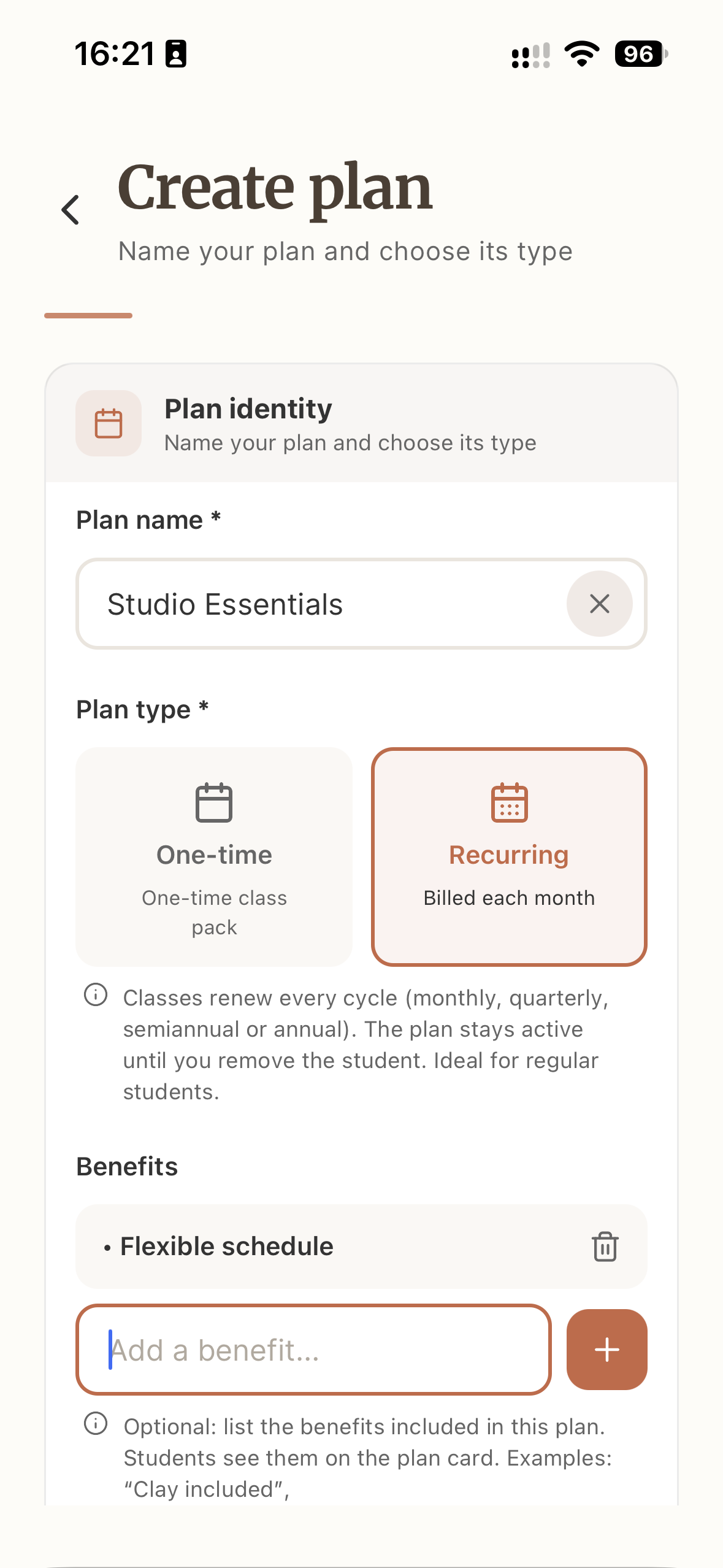
Start with your studio’s offer
Name the plan, choose recurring or one-time and list the benefits students will see.
From a plan idea to a clear student balance
Create a template once, then use it across your studio.
- 1
Define the plan
Choose a membership or package, set the allowance, price and rollover rules.
- 2
Assign to students
Select the plan and members, confirm the start date and review the assignment.
- 3
Follow their progress
Review attendance, classes used, remaining balance and any extra lessons.

What I like most is how practical it is to track active students, monitor attendance, and organize each student’s plan clearly and efficiently.
Questions about pottery class plans
Talk to the Ceramik teamCan I offer memberships and class packs together?
Yes. Create recurring plans for regular students and fixed class packs for short courses or occasional lessons. Each plan has its own allowance, price and rules.
Which billing cycles are supported?
Monthly, quarterly, semiannual and annual. For a plan spanning several months, you can give students a monthly allowance or one allowance for the full cycle.
How do weekly targets work?
Weekly targets use the dates of a student’s recurring classes in the period. A month with five occurrences of the same weekday can therefore have a different target from a month with four.
What happens to unused classes?
You decide whether unused classes roll over. You can cap the number carried forward and limit their validity to the next period. Class packs instead follow their own expiration date.
Can I charge for extra classes or require makeup credits?
Yes. Set an extra-class price and choose the booking policy. The optional makeup-credit rule requires an eligible absence credit before an additional booking.
Can I move students from an existing system?
You can set the assignment start date and record classes already used. Plan changes also include options for usage resets and how the old and new plan are considered in the transition.
Are these the same as Ceramik Free and Pro subscriptions?
No. Class plans are the lesson packages and memberships your studio offers its students. Ceramik Free and Pro are the subscriptions your studio uses to access the app.
Connect plans to the rest of your studio
Keep student allowances alongside the class calendar, material usage and inventory.
Create your first class plan
- Recurring plans & class packs
- Flexible class allowances
- iOS and Android